A Better Alternative to Nextcloud for Service Providers

Offer file sharing and storage to your customers without
building and maintaining your own platform.
Try RushFiles for FREEWatch Demo
Decorative Icon
Keep Control of Your Customers

Manage pricing, subscriptions, and customer relationships yourself.

Decorative Icon
Flexible Deployment

Choose SaaS, on-premise, or hybrid deployment depending on customer requirements.

Decorative Icon
Manage Multiple Customers

Manage multiple customer environments from a single platform.

Who RushFiles Is For

RushFiles is an enterprise file sharing and storage platform that service providers can deliver to their customers.

While Nextcloud is often deployed and managed as a self-hosted solution, RushFiles allows partners to manage multiple customer environments from a centralized platform.
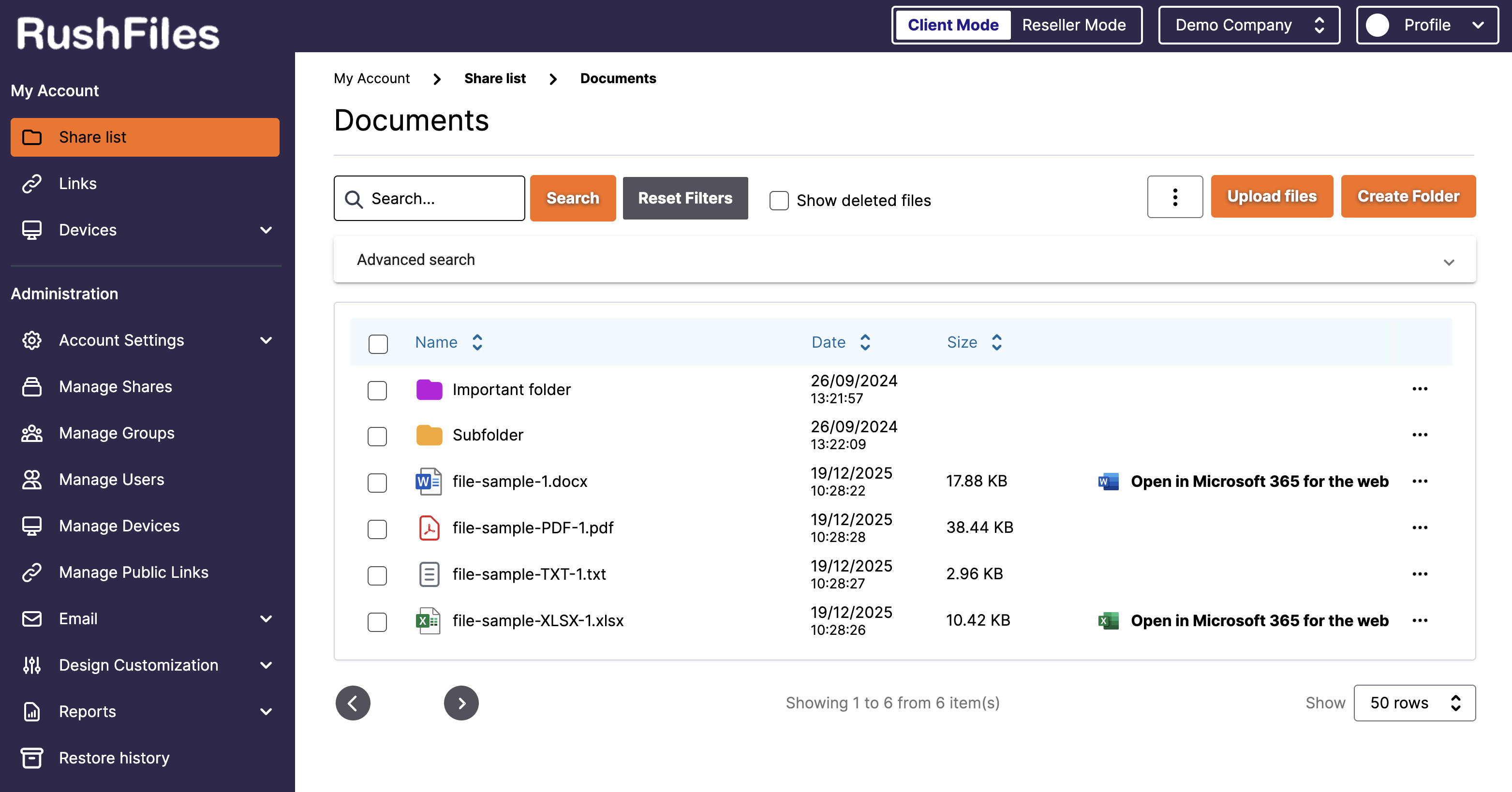
Running Nextcloud vs Running RushFiles

With Nextcloud

Deploy and maintain the platform
Manage infrastructure and updates
Handle compatibility and maintenance
Support each customer environment

With RushFiles:

Onboard customers
Manage subscriptions and pricing
Deliver file sharing as a service
Manage customers from a centralized platform
RushFiles gives service providers a platform they can deliver to customers without having to build and maintain their own file sharing solution.

Why Service Providers Choose RushFiles Over Nextcloud

Reduce platform maintenance

Use a ready-to-deliver platform with SaaS and on-premise deployment options.

Multi-Tenant Management

Manage multiple customer environments from a single dashboard.

Multi-customer management

Manage customer organizations from one centralized partner platform.

End-user adoption

Users work through Windows Explorer, Finder, web, and mobile apps without changing their workflow.

RushFiles vs Nextcloud

Both platforms support secure file sharing. The difference is how they are managed, delivered, and scaled for customers.

FeatureRushFilesNextcloud
Customer relationship
Partner manages the customer relationship
Varies by provider setup
Subscription ownership
Partner manages customer subscriptions
Varies by licensing and deployment model
Pricing control
Partner sets own pricing and packages
Depends on licensing and commercial agreement
Sales model
Partner-focused model
Direct and partner channels
Partner resources
Onboarding, technical support, MDF opportunities, and sales resources
Documentation, community resources, and commercial support depending on edition
FeatureRushFilesNextcloud
Multi-customer management
Manage multiple customer environments from one platform
Often managed through separate instances or custom configuration
Customer separation
Separate customer environments
Depends on deployment structure
White-label options
White-label options available; full white-label with on-premise deployment
Basic theming available; deeper branding may require additional setup
Centralized administration
Centralized partner dashboard
Depends on deployment and configuration
FeatureRushFilesNextcloud
SaaS deployment
Available
Usually self-hosted or hosted by a provider
On-premise deployment
Available
Available
Hybrid deployment
Available
Possible depending on setup
Platform maintenance
Depends on deployment model; SaaS is managed by RushFiles
Managed by the hosting organization or provider
Use own infrastructure
Available with on-premise deployment
Available
FeatureRushFilesNextcloud
Virtual drive / mapped drive experience
Available
Depends on client setup
Active Directory / NTFS
AD and NTFS support
AD available; NTFS support depends on setup
File versioning
Available
Available
Ransomware recovery
Available through file versioning and recovery features
Depends on backup and configuration
Web, desktop, and mobile access
Available
Available

See how RushFiles fits your service portfolio

Review the platform with our team or start a free partner trial to test the setup yourself.

Partner Support

Onboarding

Help setting up your environment and onboarding customers.

Technical Support

Support for deployment, integrations, and day-to-day questions.

MDF Opportunities

Marketing support for qualifying partners.

Sales & Marketing Resources

Tools and materials to help introduce RushFiles to customers.

Migrating from Nextcloud

1
Move Existing Data
Transfer files, users, and folder structures.
2
Set Up Customer Environments
Create separate customer environments from a single dashboard.
3
Keep Familiar Workflows
Users continue working through desktop, web, and mobile applications.
4
Get Migration Support
Guidance and support throughout the migration process.

Offer File Sharing Without Building Your Own Platform

Offer file sharing and storage to your customers without building your own platform.