


SaaS
- Hosted and maintained by RushFiles
- Fast deployment with minimal infrastructure
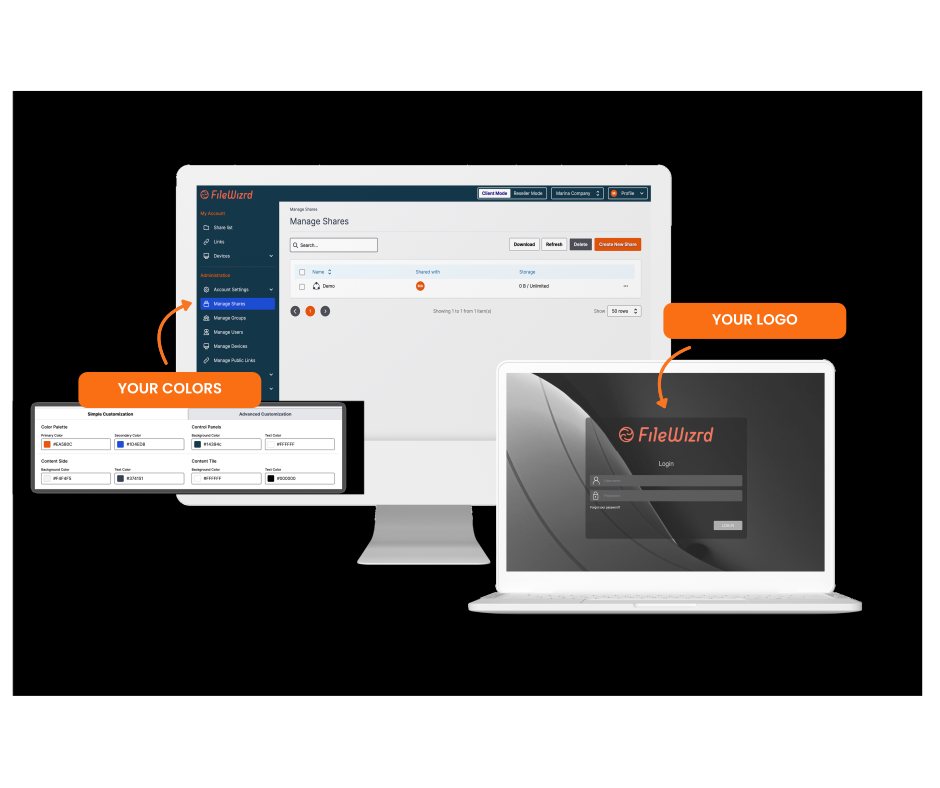
- Branding for the web portal, domain and system emails
- Evaluate through the 15-day reseller trial

Deliver secure file sharing under your own brand, manage multiple customer environments from one platform, and define your own pricing and service model.
Offer secure file sharing under your own brand, domain and product name.
Manage separate customer environments from one reseller panel.
Choose hosted SaaS or On-Premise based on the required branding and infrastructure control.

.png)
.png)

White-label file sharing allows service providers to deliver file sync and sharing under their own brand, domain and commercial model. With RushFiles, you manage each customer environment, the service structure and the deployment model.
RushFiles supports branded access across web and desktop environments.
This includes:
End users interact with a platform that reflects your company, not a third-party vendor.
Note: Full branding of desktop applications is available with On-Premise deployments.
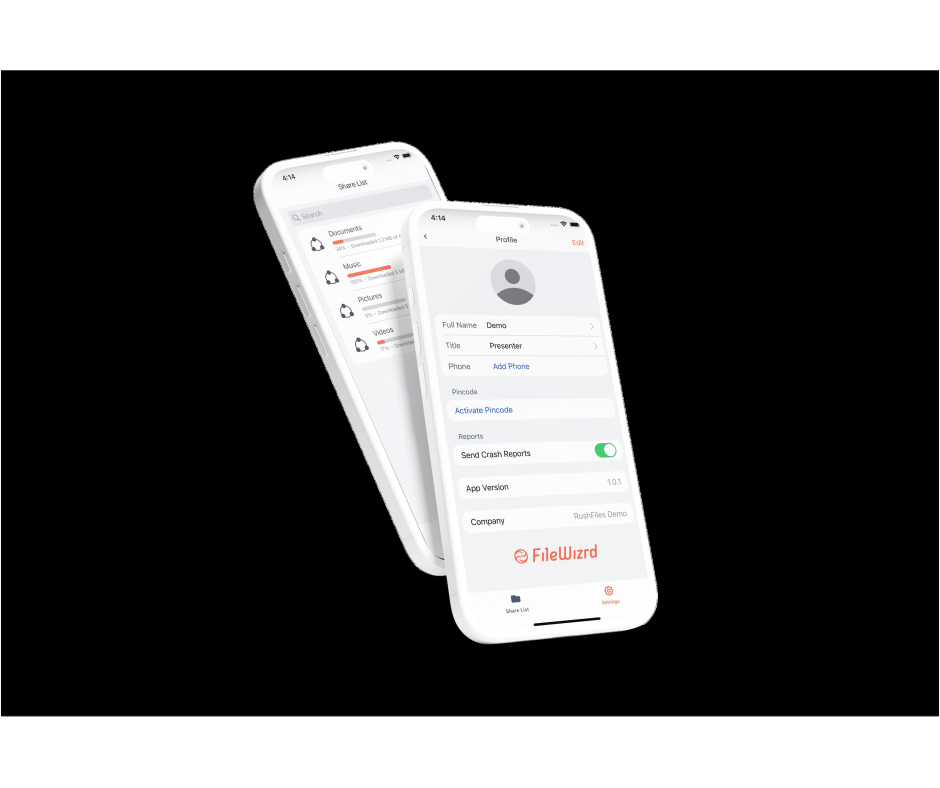
RushFiles supports branded mobile applications for end users.
This includes:
Mobile applications follow the same visual identity as the web and desktop experience, ensuring consistent branding across devices.
Note: Full branding of mobile applications is available with On-Premise deployments.
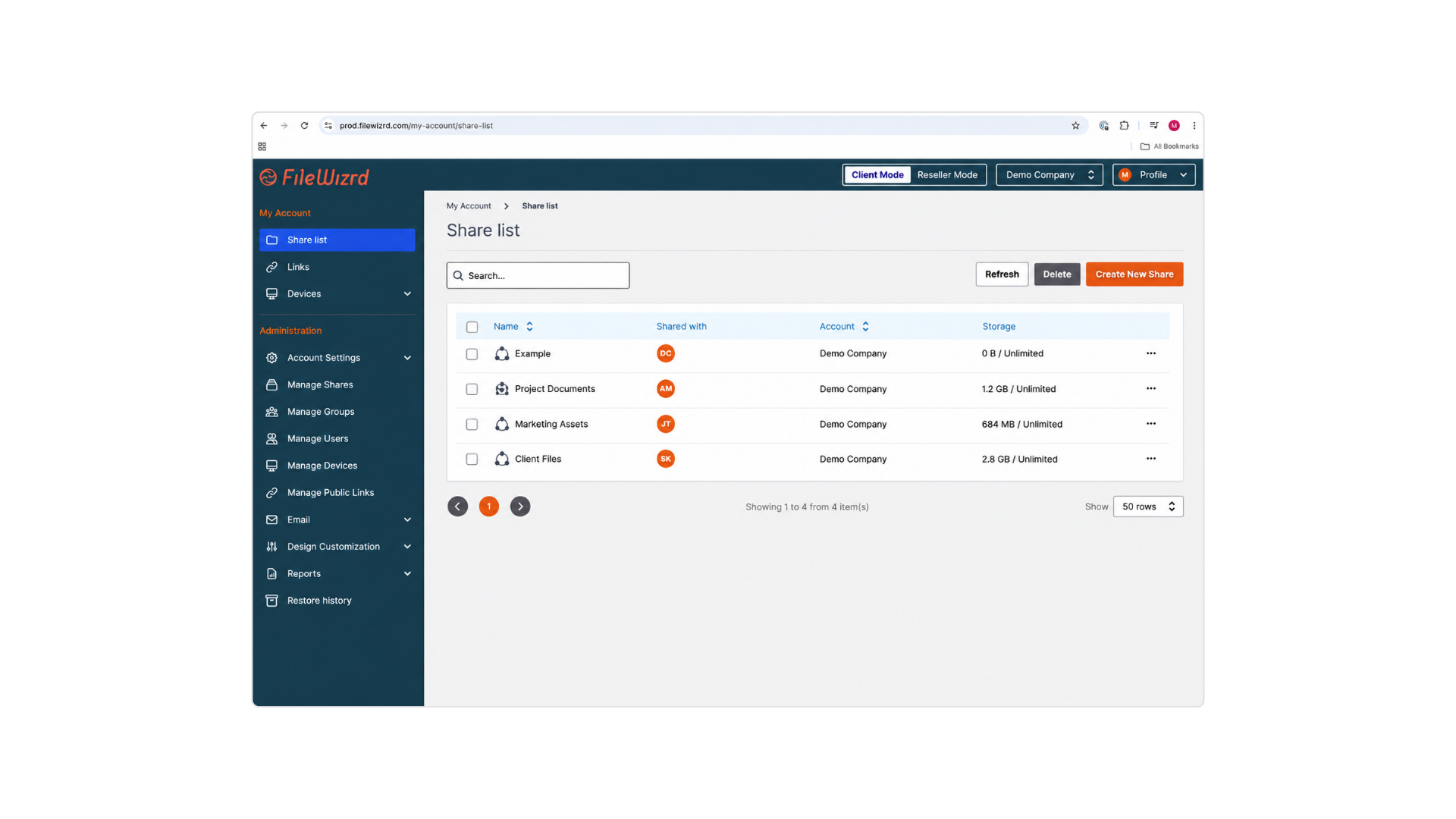
Give customers access to a branded file-sharing portal through your own domain or a reseller subdomain.
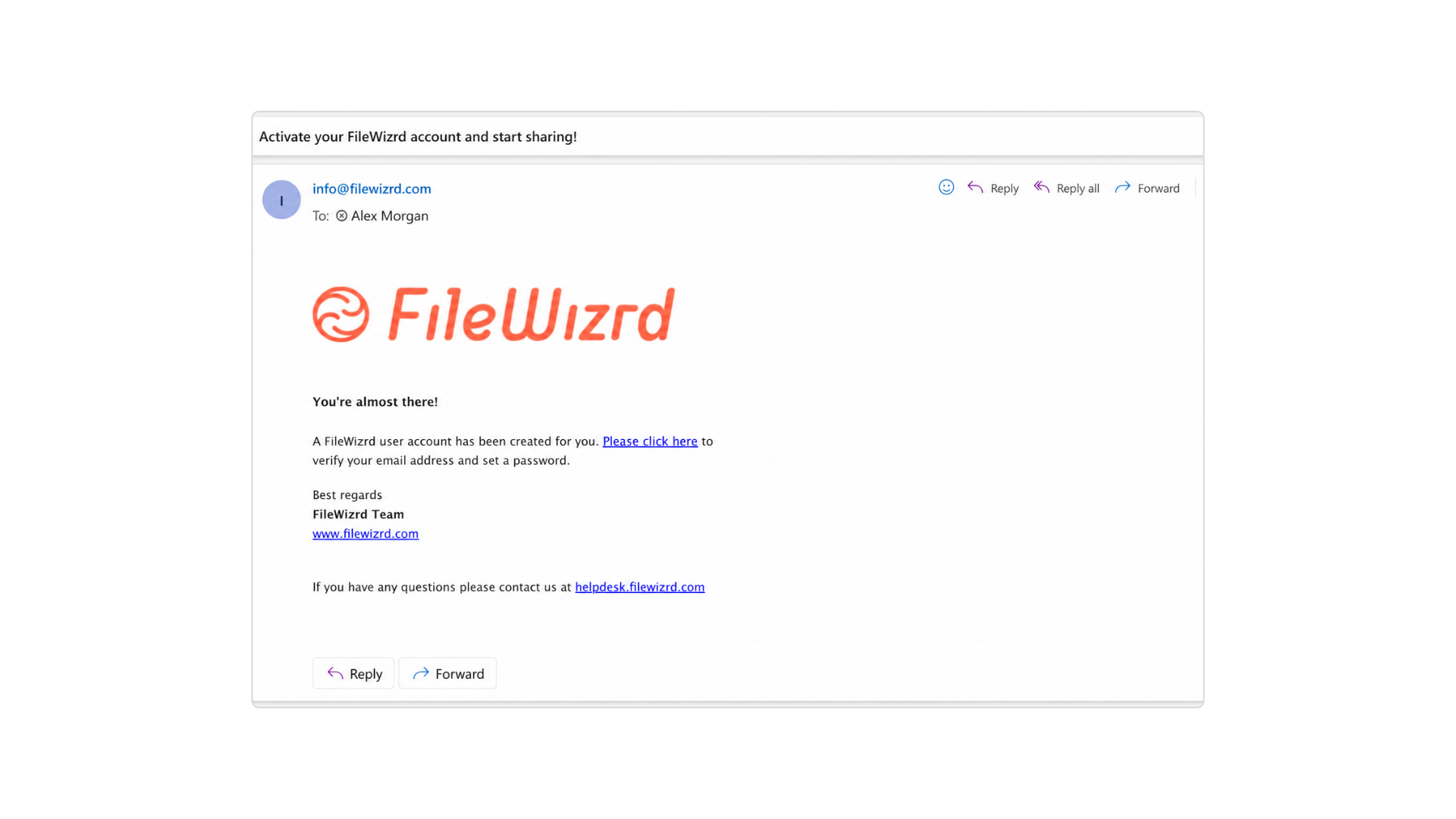
Send account and service emails with your logo, sender details, links and support information.
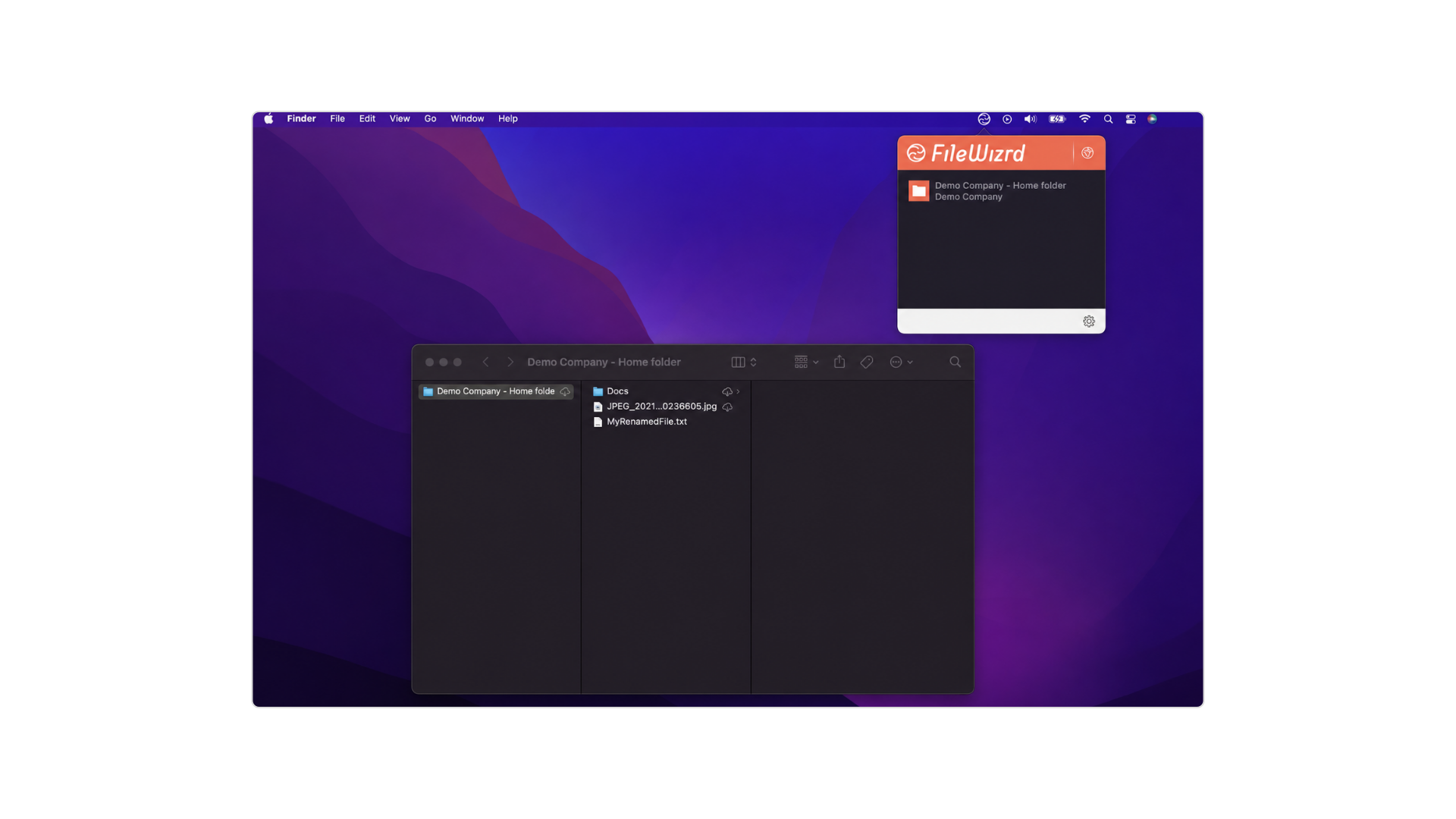
Let customers access synced files directly through Finder on macOS or File Explorer on Windows, with your service branding visible in the desktop experience. Full desktop branding is available with On-Premise.
Web portal, domain and system email branding are available with SaaS. Full branding of desktop and mobile applications is available with On-Premise deployments.
Hybrid requirements can also be discussed based on your infrastructure and customer needs. Explore On-Premise Deployment.
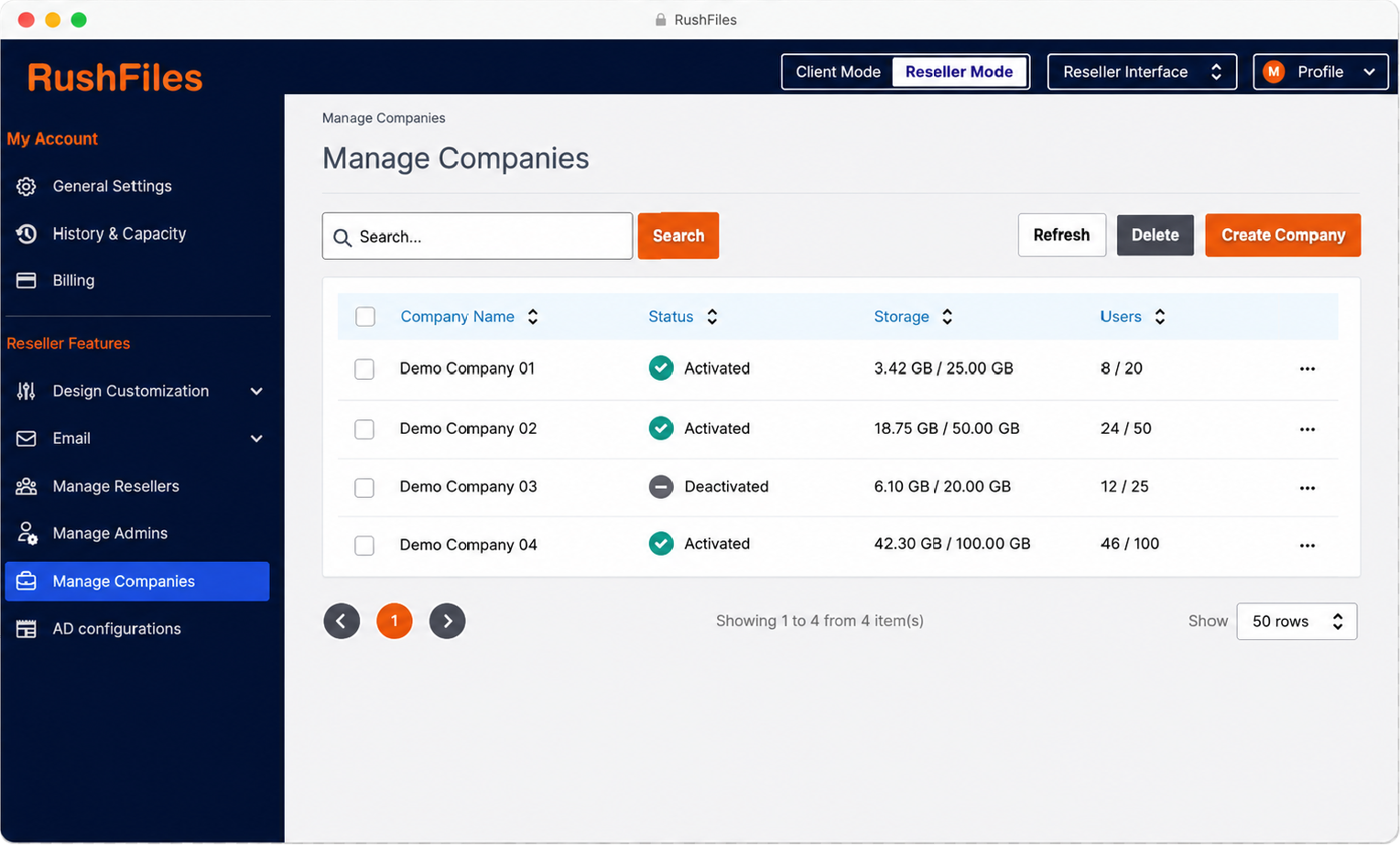
Offer secure file sharing under your own brand while keeping control of the customer relationship, service packaging and pricing.
The platform combines white-label delivery, multi-tenant management, and enterprise file sharing in one system.
Estimate the partner cost, explore the reseller platform or discuss full application branding with our team.
White-label file sharing allows service providers to offer secure file storage, sync and sharing under their own brand using an existing platform.
With RushFiles SaaS, you can brand the web portal, use your own domain or a reseller subdomain, and align system emails with your brand identity. Full branding of desktop and mobile applications is available with On-Premise.
On-Premise adds full branding of the desktop and mobile applications. It is installed within provider-managed infrastructure, giving the service provider control over infrastructure, storage and data location.
Yes. You can create and manage separate customer environments from one reseller panel. Each customer has its own users, files, storage, permissions and policies.
The 15-day reseller trial lets you evaluate the reseller panel, create customer environments, configure users and permissions, and test file access and sharing. The trial page contains the current scope and activation details.
Use the partner pricing estimator to estimate monthly partner cost by deployment, pricing model and commitment tier. To evaluate full desktop and mobile application branding, discuss the On-Premise requirements with the RushFiles team.