File Server Replacement for MSPs

Replace suitable SMB file servers with a managed file-sharing platform that keeps everyday file access familiar and gives your team control over each customer environment.

Replace the server, not the everyday file workflow

RushFiles moves everyday shared-file access away from the customer's file server while keeping the user experience familiar.

What users keep

Familiar desktop access

Work with assigned Shares through File Explorer on Windows or Finder on macOS.

Access from anywhere

Reach the same files through desktop, web and mobile applications without relying on a traditional file-server VPN for everyday access.

Internal and external sharing

Work with company files and share with customers or partners through the same service.

What the MSP gains

Separate customer environments

Manage each customer through its own company environment with separate users, files, capacity and settings.

Central administration

Configure users, groups, Shares, access, security and recovery from one platform.

A repeatable managed service

Deliver file access through RushFiles SaaS or On-Premise instead of maintaining a separate file-sharing stack for every customer.

RushFiles is designed for shared-file workloads. Applications that require SMB or UNC paths, databases, server-side processing or specialised file behaviour should be identified and tested before migration.

One platform for your team, each customer and every user

RushFiles separates service-provider administration, customer configuration and end-user file access. Your team operates the service centrally while every customer receives its own environment.

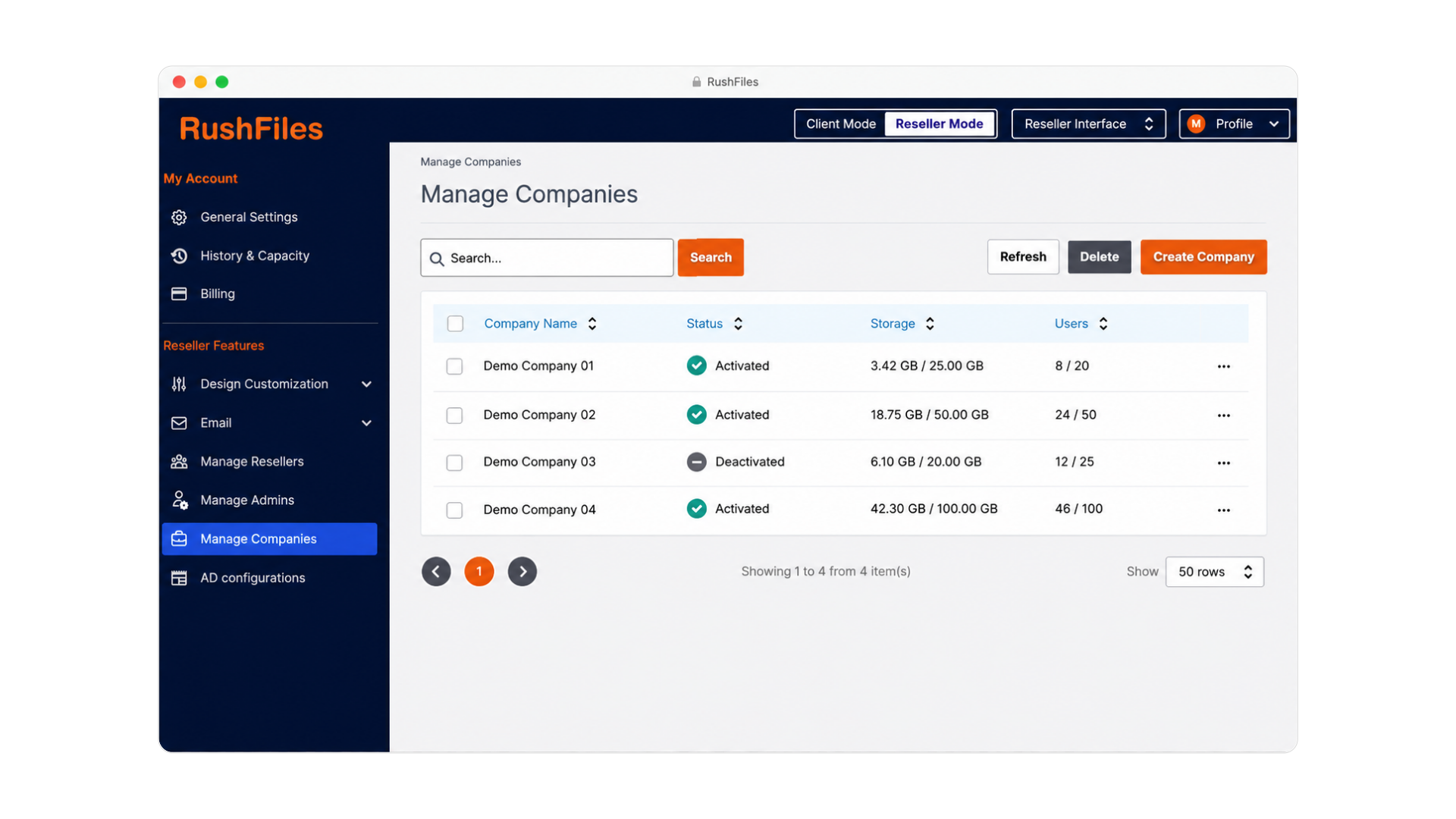
Create a separate RushFiles company for each customer. Keep customer users, data, capacity and configuration separated while managing the service through the reseller administration.

Your team can use a consistent administration model across customers without forcing every customer into the same setup.

RushFiles reseller administration for managing the service across multiple customer environments
Manage the service across customer environments from one reseller platform.

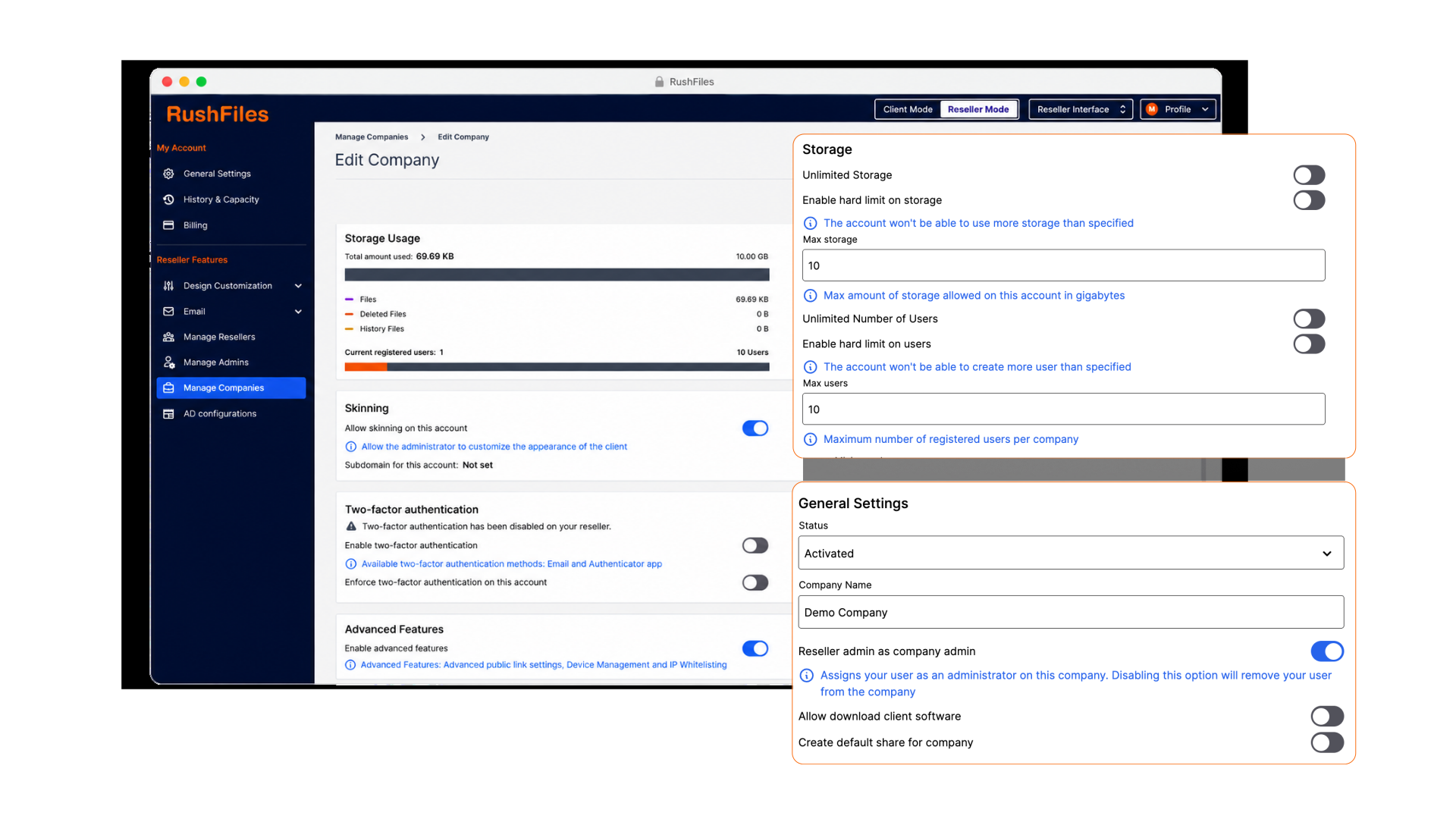
Within each company, configure the users, groups, Shares, access permissions and security settings required for that customer.

Connect Active Directory or Entra ID where appropriate, assign access through users and groups, and organise existing customer folders around the required Share structure.

RushFiles customer administration for configuring users, groups, Shares, access and security settings

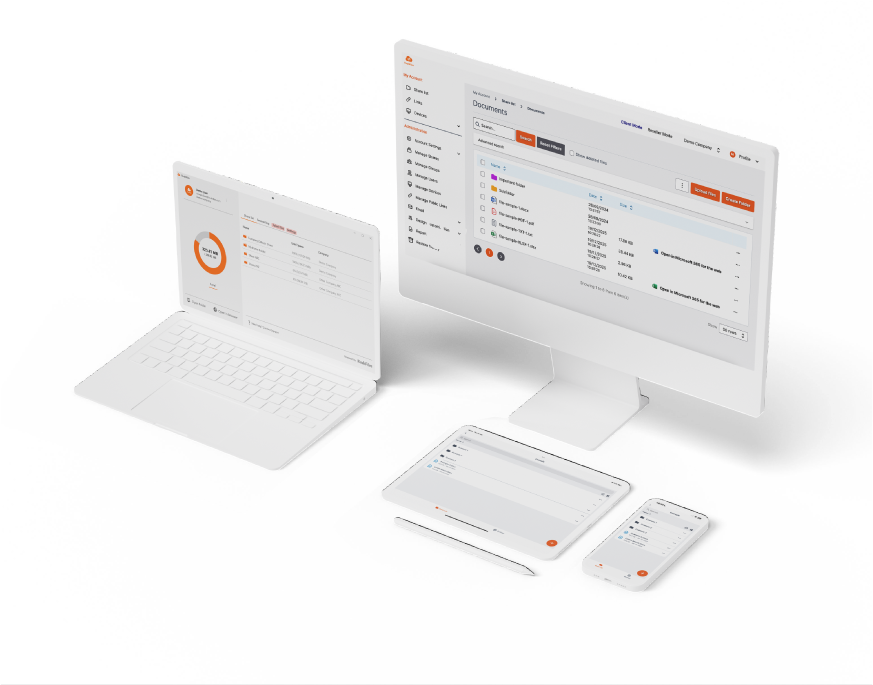
Users access assigned Shares through File Explorer on Windows or Finder on macOS. The same files can also be reached through the RushFiles web application and iOS or Android apps.

Internal file access, external sharing and recovery are handled through the same service instead of separate tools for office, remote and customer-facing work.

RushFiles file access shown across desktop and laptop devices

Watch the product walkthrough

Technical controls for each customer environment

Configure access, security, sharing, recovery and deployment around the requirements of each customer.

Access and identity

  • Active Directory and Entra ID integration
  • User and group administration
  • Read, write and owner access
  • Two-factor authentication
  • Password policies
  • Device management and IP restrictions

Files and collaboration

  • Company Shares, private Shares and subfolder Shares
  • File Explorer access on Windows
  • Finder access on macOS
  • Web, iOS and Android applications
  • Controlled public links
  • Office Online integration

Recovery and deployment

  • File history
  • Deleted-file recovery
  • Activity reporting
  • RushFiles SaaS
  • RushFiles On-Premise
  • Customer-specific configuration

Choose the replacement around the workload

There is no single replacement for every file server. The right destination depends on how the files are used, which applications depend on them and how the MSP intends to operate the service.

File-server replacement options compared by what each is best suited for, the user experience and the main MSP consideration.
Option Best suited for User experience Main MSP consideration
RushFiles Managed shared files, familiar desktop access, remote work, external sharing and multi-customer service delivery File Explorer on Windows, Finder on macOS, web and mobile Application-dependent workloads and existing permissions must be assessed and mapped
SharePoint and OneDrive Microsoft 365 collaboration, Teams, intranets and Office-centric document workflows Web, Teams, Office applications and OneDrive sync Existing folder structures and user workflows may require redesign
Azure Files Cloud-hosted SMB shares and workloads that require SMB-based access Traditional SMB file-share access Connectivity, identity, Azure administration and consumption costs
New server or NAS Workloads that must remain local or depend on traditional infrastructure Traditional network shares Hardware, backup, remote access, security and lifecycle responsibility remain

RushFiles is strongest where the customer needs structured shared-file access, familiar desktop workflows, remote availability and external sharing—and the MSP wants to operate those capabilities as a repeatable managed service.

Compare RushFiles with OneDrive and SharePoint

Turn file-server replacement into a repeatable managed service

Replacing one server is a migration project. Using one platform across suitable customer environments creates an ongoing service.

One platform across customers

Create a separate RushFiles environment for each customer while managing the service through one reseller administration.

A repeatable customer offer

Standardise how your team configures shared files, access, security and recovery without forcing every customer into the same setup.

Your service and customer relationship

Deliver the service under your own brand, choose the deployment model and define how it is packaged for customers.

The result is a file-sharing service your team can deploy and support across multiple customers without maintaining a separate platform for each one.

See the MSP service model

Choose how you want to operate the service

Use RushFiles as an EU-hosted service or deploy it within infrastructure you control.

RushFiles SaaS

Start offering file sharing without operating the platform infrastructure yourself.

  • Hosted on secure EU infrastructure
  • Tight security measures, vendor maintenance and management
  • No additional server infrastructure required
  • Branding for the web interface, domain, and customer communications
Explore SaaS Deployment

On-Premise

Operate RushFiles on your own servers or private cloud when you need greater control over infrastructure, storage, data location, and branding.

  • Files remain on provider-controlled infrastructure
  • Use your own storage environment
  • Control data location and infrastructure configuration
  • Full white-label options, including desktop and mobile applications
Explore On-Premise Deployment

Move from file server to RushFiles with fewer unknowns

Copying files is rarely the difficult part. Permissions, connected applications and user workflows determine whether the migration will work.

  1. 1. Assess what should move

    Review the data, users, permissions and applications connected to the existing server. Separate shared-file workloads from anything that still requires SMB paths, server-side processing or specialist behaviour.

  2. 2. Build and migrate

    Create the customer environment and Share structure, configure access, and use RushFiles bulk tools to import users and upload data.

  3. 3. Validate before cutover

    Test permissions, representative files, Windows and macOS access, external sharing and recovery with real users before completing the migration.

Get the Migration Workbook

Plan the environment before choosing the destination

The File Server Exit Plan 2027 Workbook helps you turn an ageing file server into a documented replacement project.

Use it to:

  • Inventory the current environment
  • Classify folders and workloads
  • Identify dependencies and migration blockers
  • Compare realistic replacement options
  • Define the target environment
  • Prepare a representative pilot
  • Record acceptance criteria, cutover tasks and rollback requirements

Have a file-server replacement opportunity?

Bring us the current environment, user requirements and known dependencies. We will help you determine where RushFiles fits and what should be validated before migration.

The completed environment-inventory section of the Workbook is enough to start.

Thank you. We have received your request. A RushFiles team member will contact you to arrange the migration-planning call.
Something went wrong. Please check the form and try again.

File server replacement with RushFiles

No. RushFiles is designed for shared-file access, remote work, external sharing and managed customer environments.

Workloads that require SMB or UNC paths, databases, server-side applications, scripts, scanners or specialist file behaviour may require Azure Files, another server, a NAS or a separate application platform. These dependencies should be identified during the assessment.

RushFiles provides a cloud file-server experience for shared-file workloads. Users access company files through Windows, macOS, web and mobile applications while administrators manage users, groups, Shares, permissions and security settings centrally.

It is not intended to emulate every function of a traditional Windows Server.

Yes. Users can access assigned Shares through File Explorer on Windows and Finder on macOS. RushFiles also provides web, iOS and Android access.

Existing folders can be uploaded and organised around the RushFiles Share structure. The target structure should be defined during the assessment so that company Shares, private Shares and subfolder Shares reflect how the customer needs to work.

No. Existing access requirements must be reviewed and mapped to RushFiles users, groups, Shares and read, write or owner access.

This is also an opportunity to remove outdated or unnecessarily complex permissions instead of reproducing them without review.

Yes. RushFiles supports Active Directory and Entra ID integration. The appropriate identity configuration depends on the customer environment and selected deployment model.

Yes. RushFiles can be used for managed shared-file access while Microsoft 365 supports email, Teams and Office collaboration.

The appropriate destination should be selected by workload rather than assuming every file must move to one platform.

RushFiles provides tools for bulk user import and bulk data upload. The MSP first defines the customer company and Share structure, then imports users and uploads data into the target environment.

A representative pilot should be completed before the full customer cutover.

Yes. RushFiles supports white-label service delivery, allowing the MSP to present the service under its own brand and build it into its own customer offer.

Evaluate RushFiles against a real customer environment

Use the Workbook to document the current workload, identify dependencies and prepare the environment for evaluation.