
FEATURED ARTICLE
RushFiles Web App 3.3.0 Release Notes
RushFiles Web App 3.3.0 Release Notes | Discover the latest features in RushFiles Web App 3.3.0. Updates include default company shares, user management improvements, public link approval, storage limits, reseller controls, and more.
We’re introducing a range of improvements for company administrators, resellers, and users.
Here’s what’s new:
Company Administrators
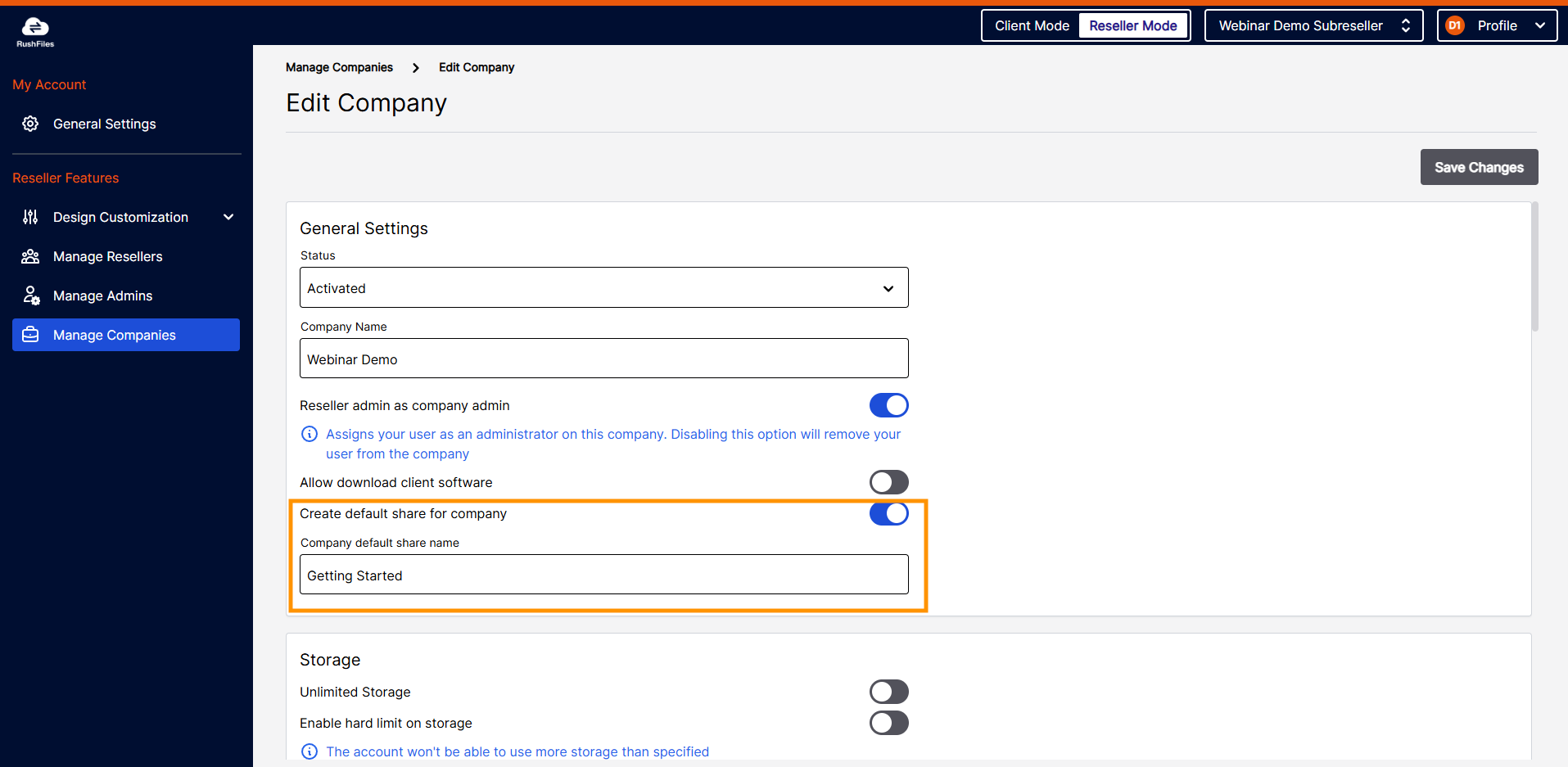
Default Share per Company
- Companies can now have a special “default share.”
- Every new user invited to the company is automatically added.
- Useful for onboarding materials like readmes or guides.
- Controlled by the reseller.
Share Storage Limit
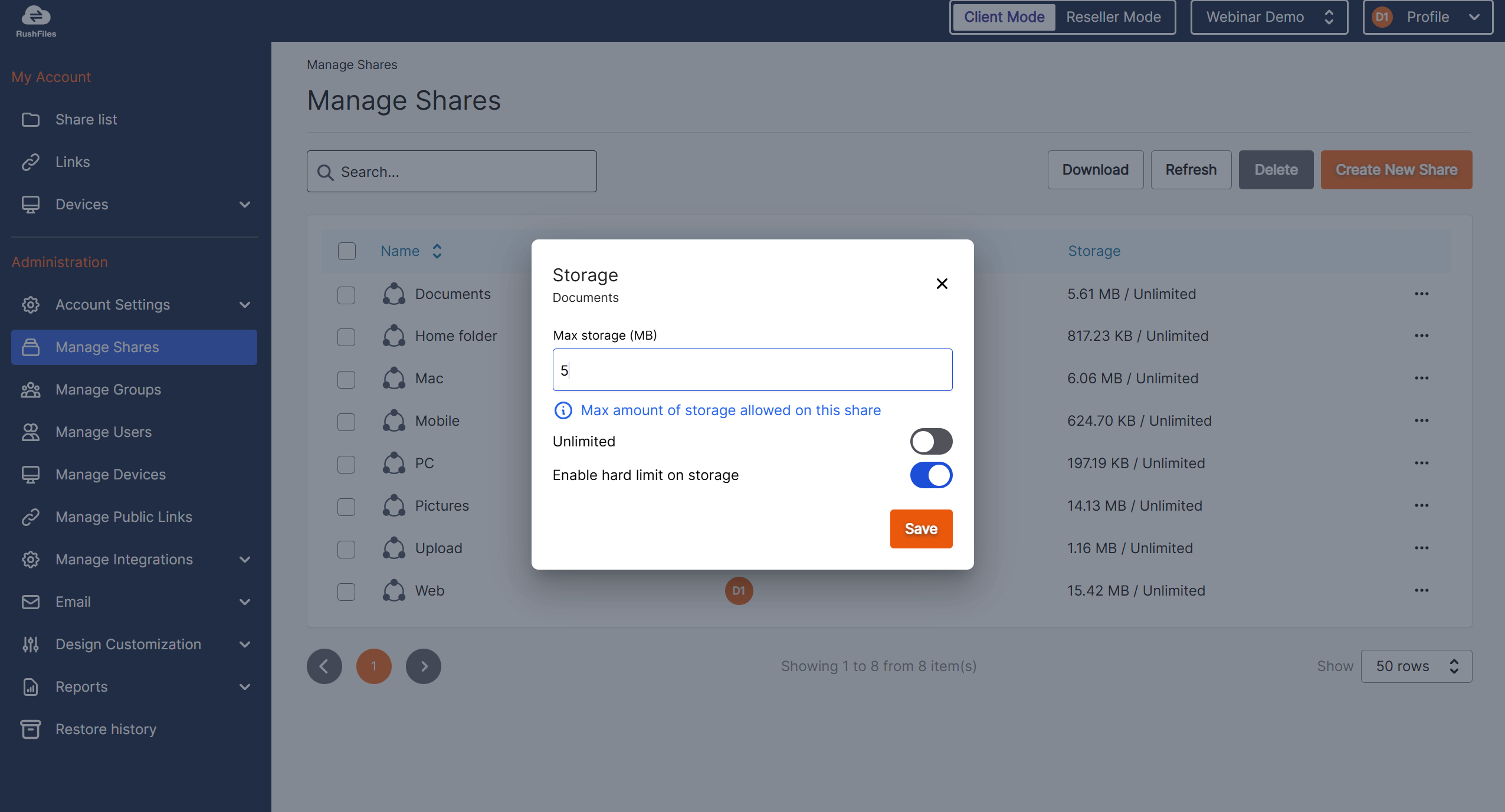
- Admins can assign storage limits on individual shares.
- Limits are independent of company-wide storage.
- If either limit is reached, uploads are blocked.
- A warning banner is shown when nearing or exceeding the share limit.
Manage Groups
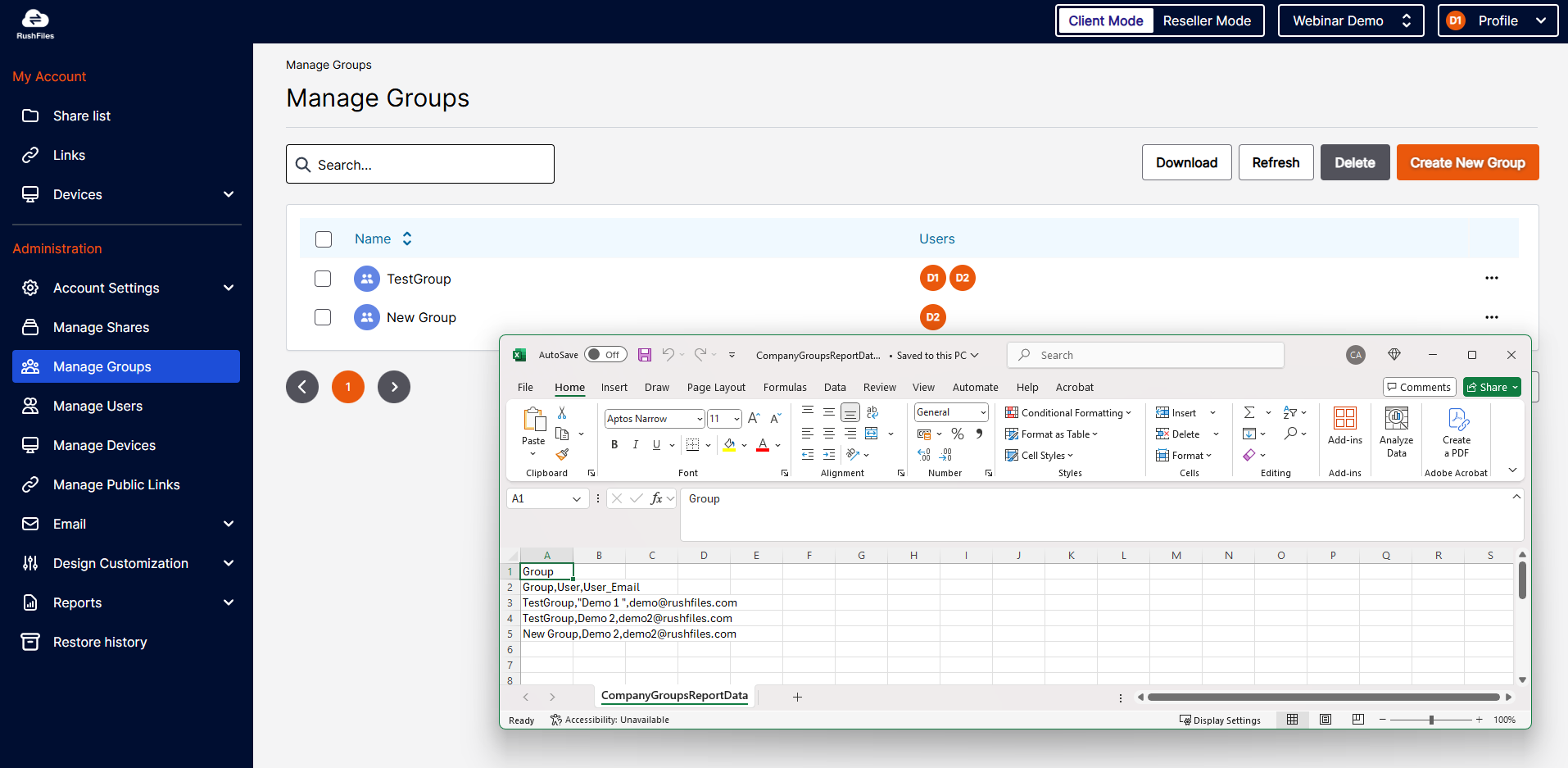
- Batch-assign users to groups.
- Export the group list as CSV.
Manage Shares
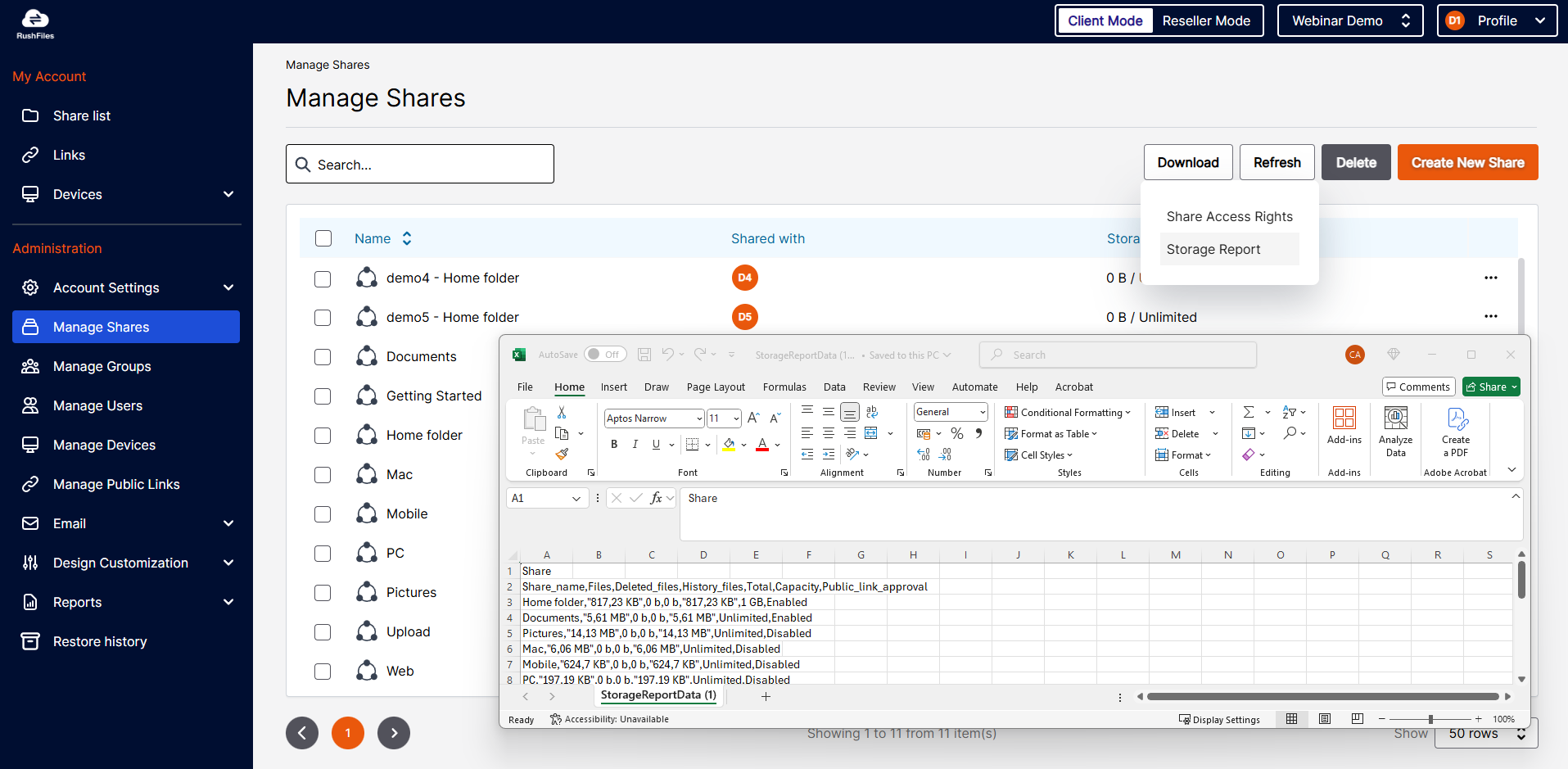
- Export share tables as CSV.
- Export user and group associations per share.
- Public Link Approval status is now visible in the table.
- Share storage limits are displayed and can be managed directly.
Manage Users
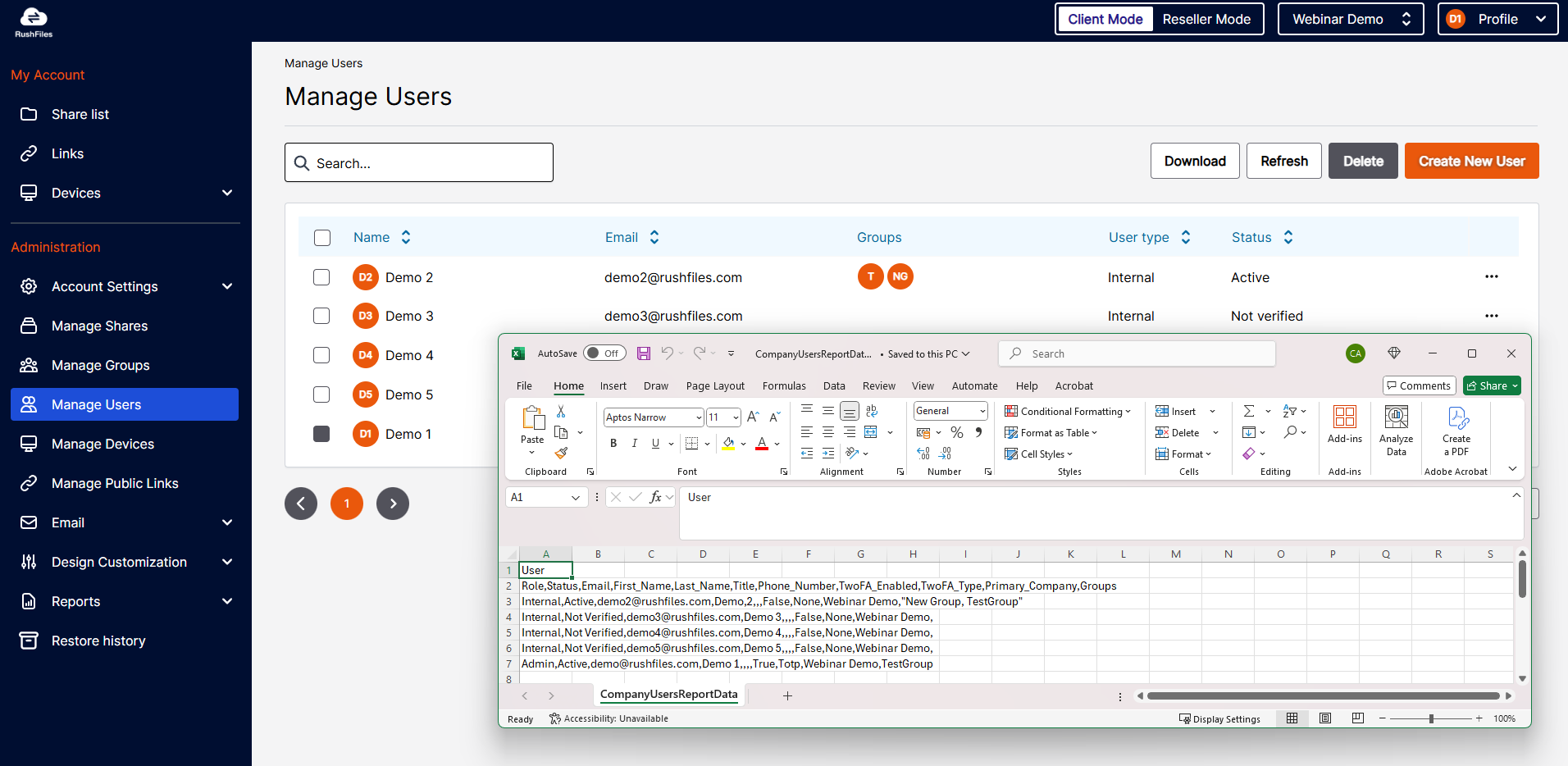
- Export the user table as CSV.
- User group associations and status are now visible in the table.
- New “Deactivated” status
- Logs the user out and blocks login.
- Keeps their shares, groups, and links intact.
- Only editable by admins on the user’s primary domain.
-
Reports
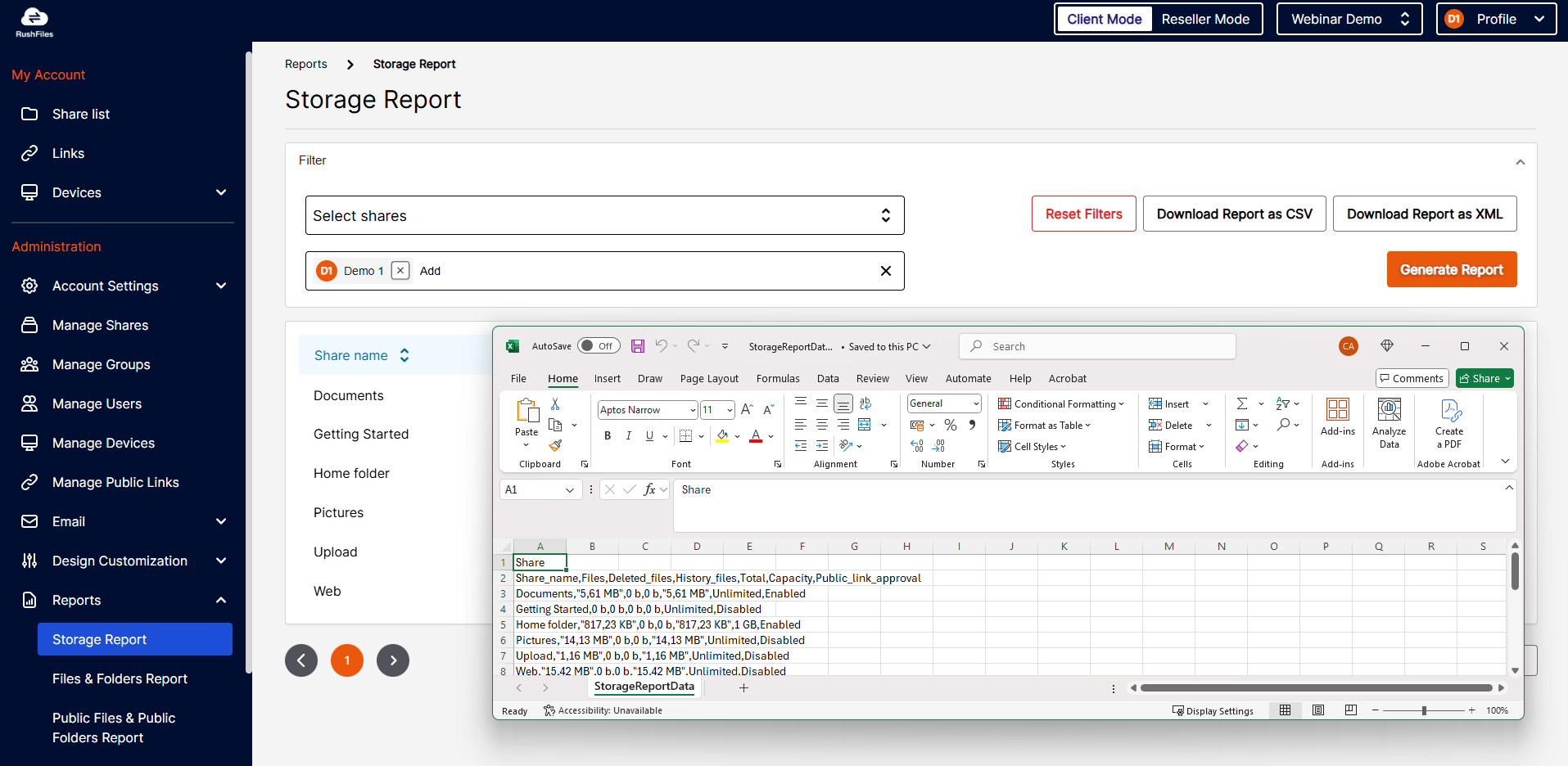
- All report types can now be downloaded in CSV format, in addition to XML.
Manage Public Links
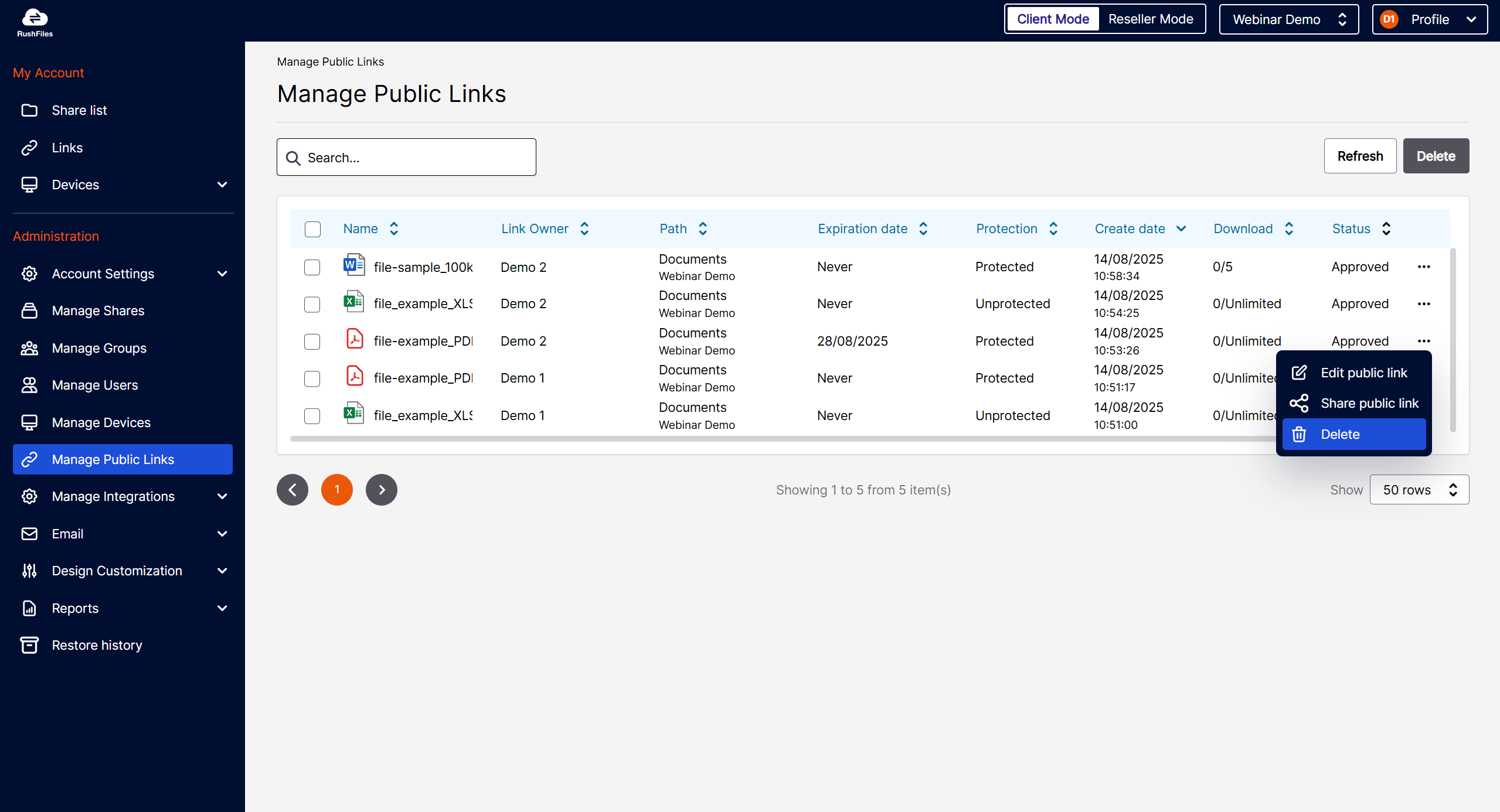
- New menu where company admins can view, edit, and delete all links created on company shares.
Public Link Approval Flow
- Enable in Account Settings → Public Links.
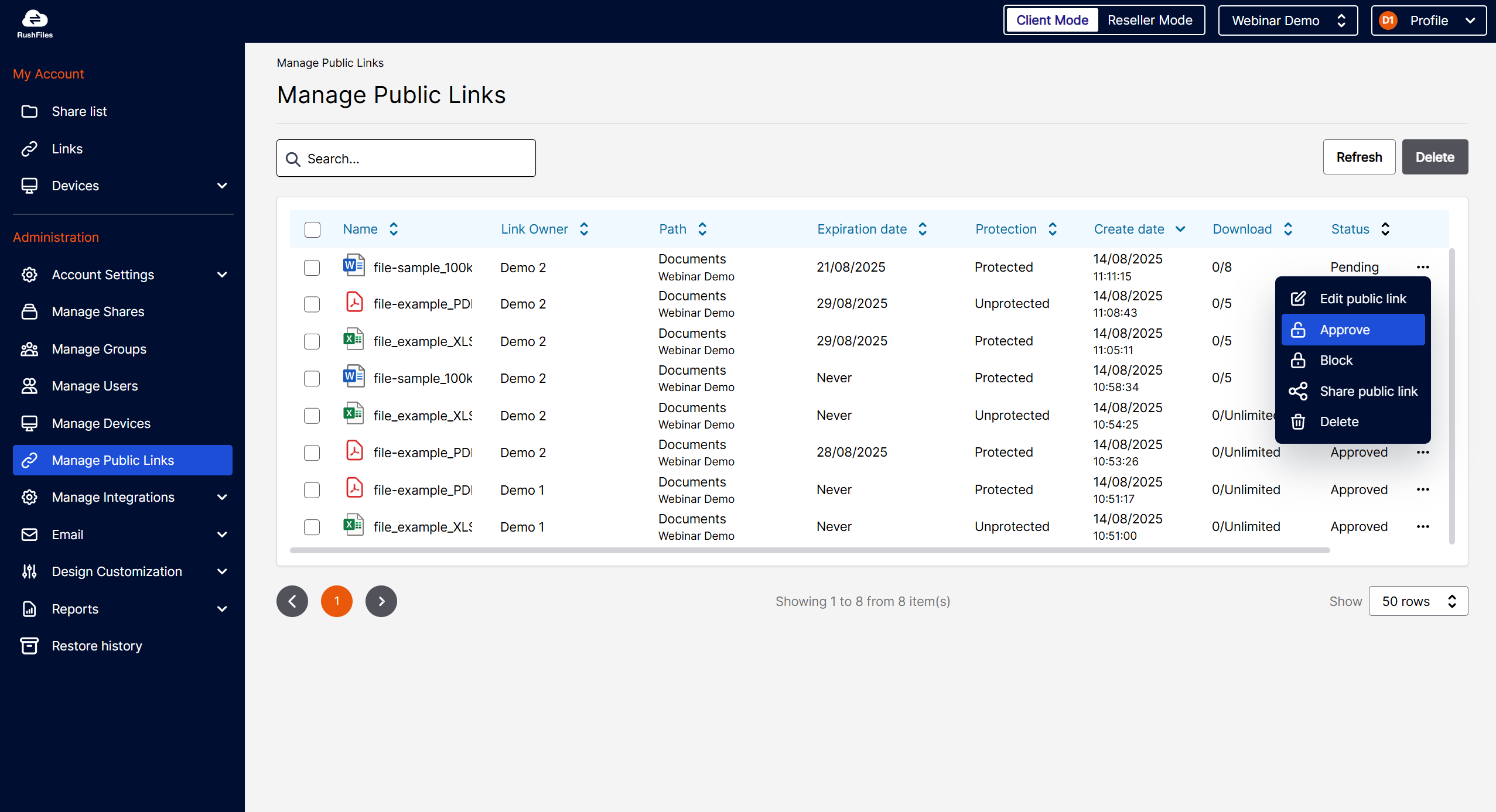
- New links can be set to “Pending” until approved.
- Pending links are only visible to the creator and admins.
- Admins receive email notifications for approvals.
- Creators and recipients are updated on approval, block, or deletion.
- Works similarly to Device Management.
Advanced Public Links
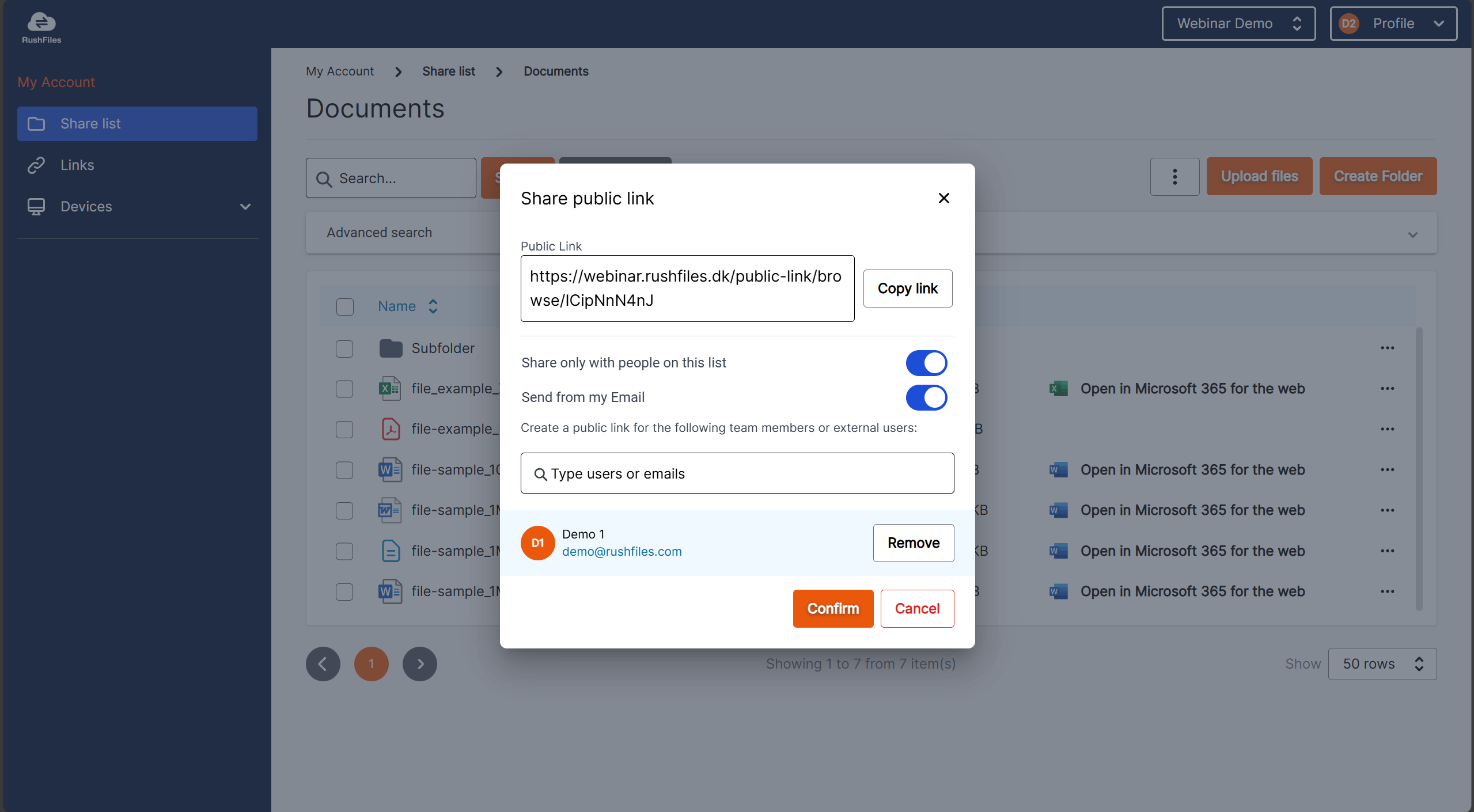
- New option: Send from my Email.
- Opens your email client with the recipient list and link pre-filled.
- Lets the user customize the message before sending.
Users
Public Links (Links Menu)
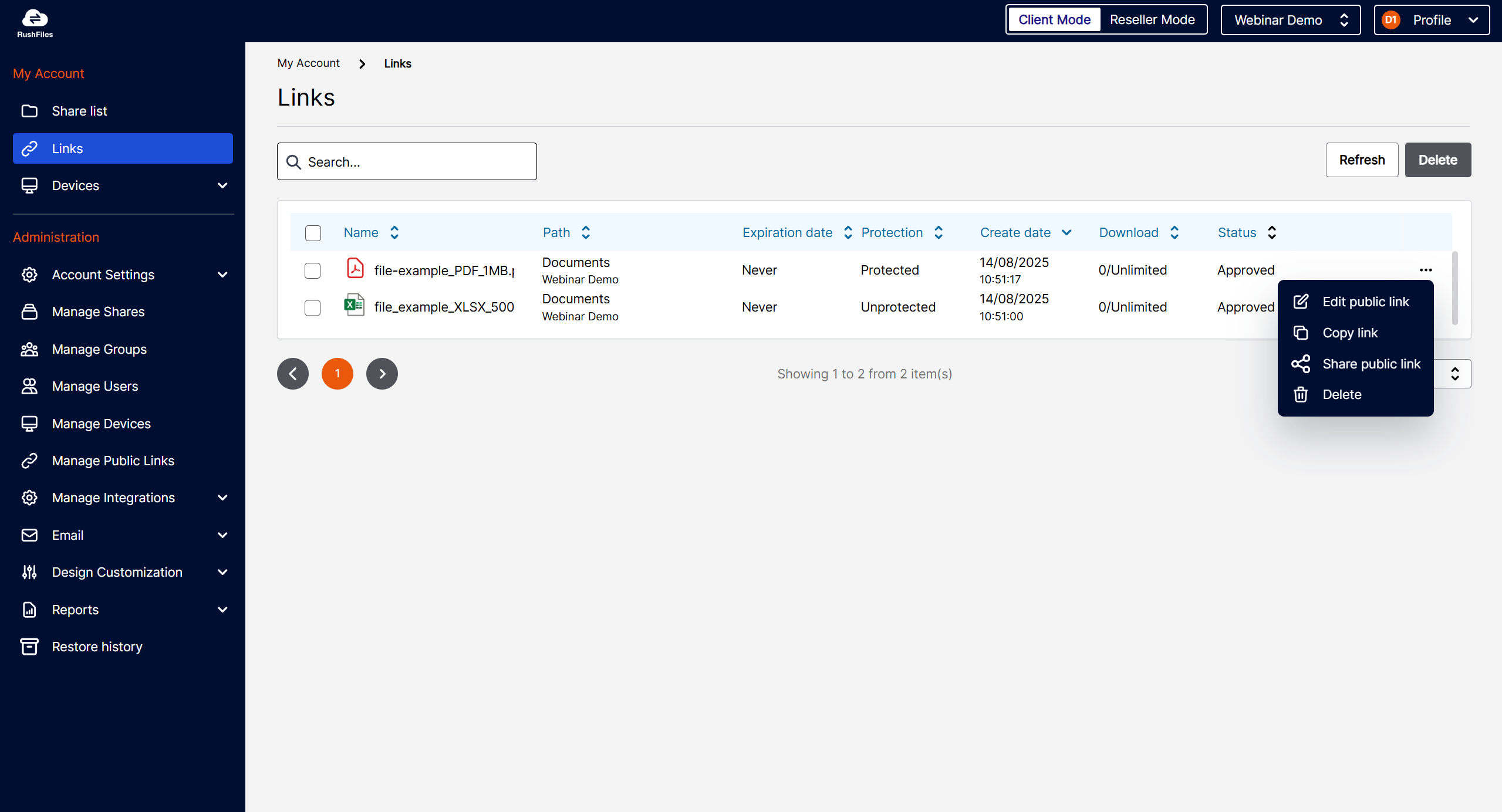
- Links can now be edited regardless of expiration status.
- Add a custom expiration date (not limited to presets).
Search Improvements
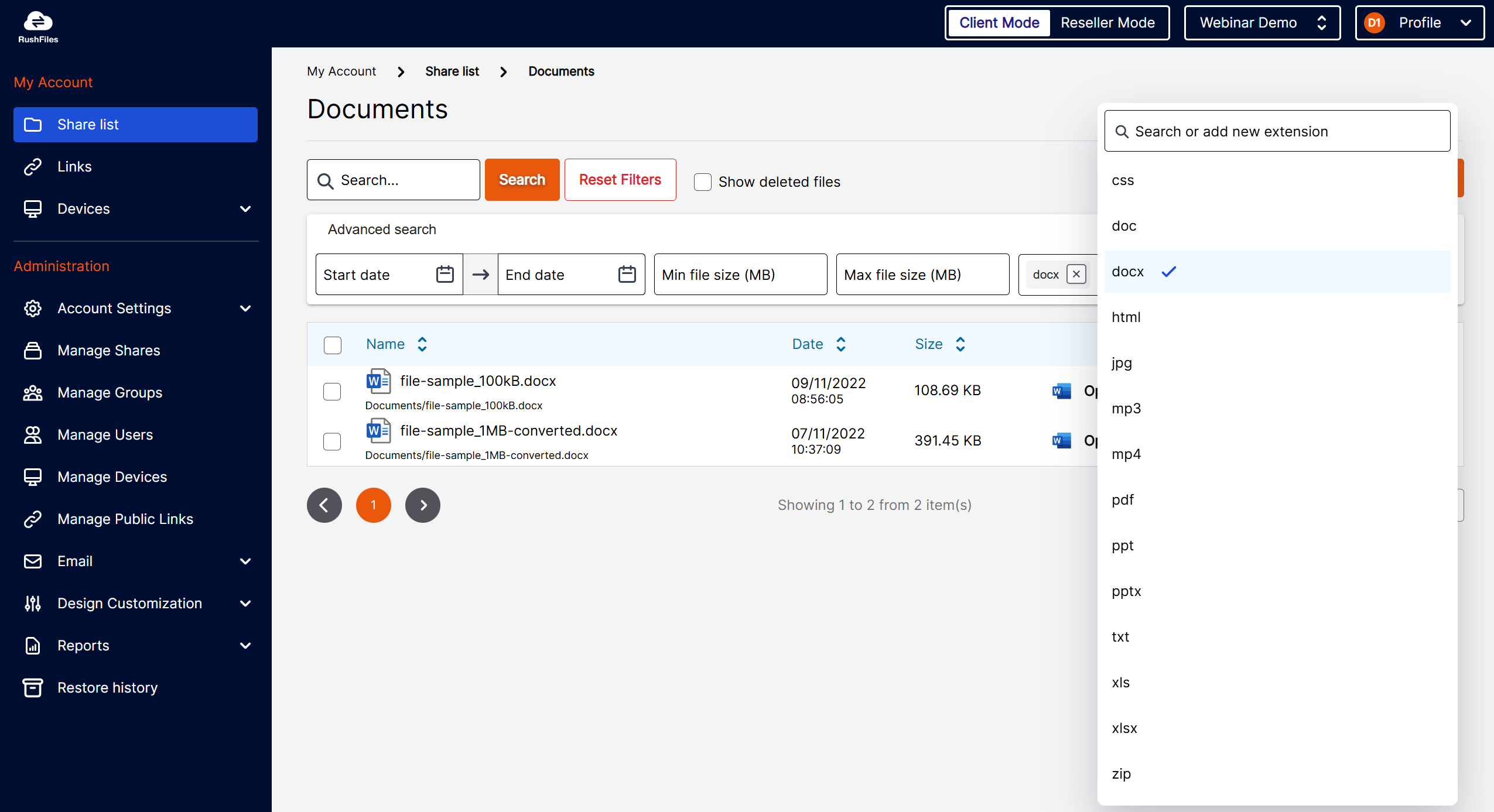
- Results now include all subfolders within a Share.
- Advanced search filters by date, size, and extension.
- Advanced Search returns up to 200 results
Folder Icon Colors
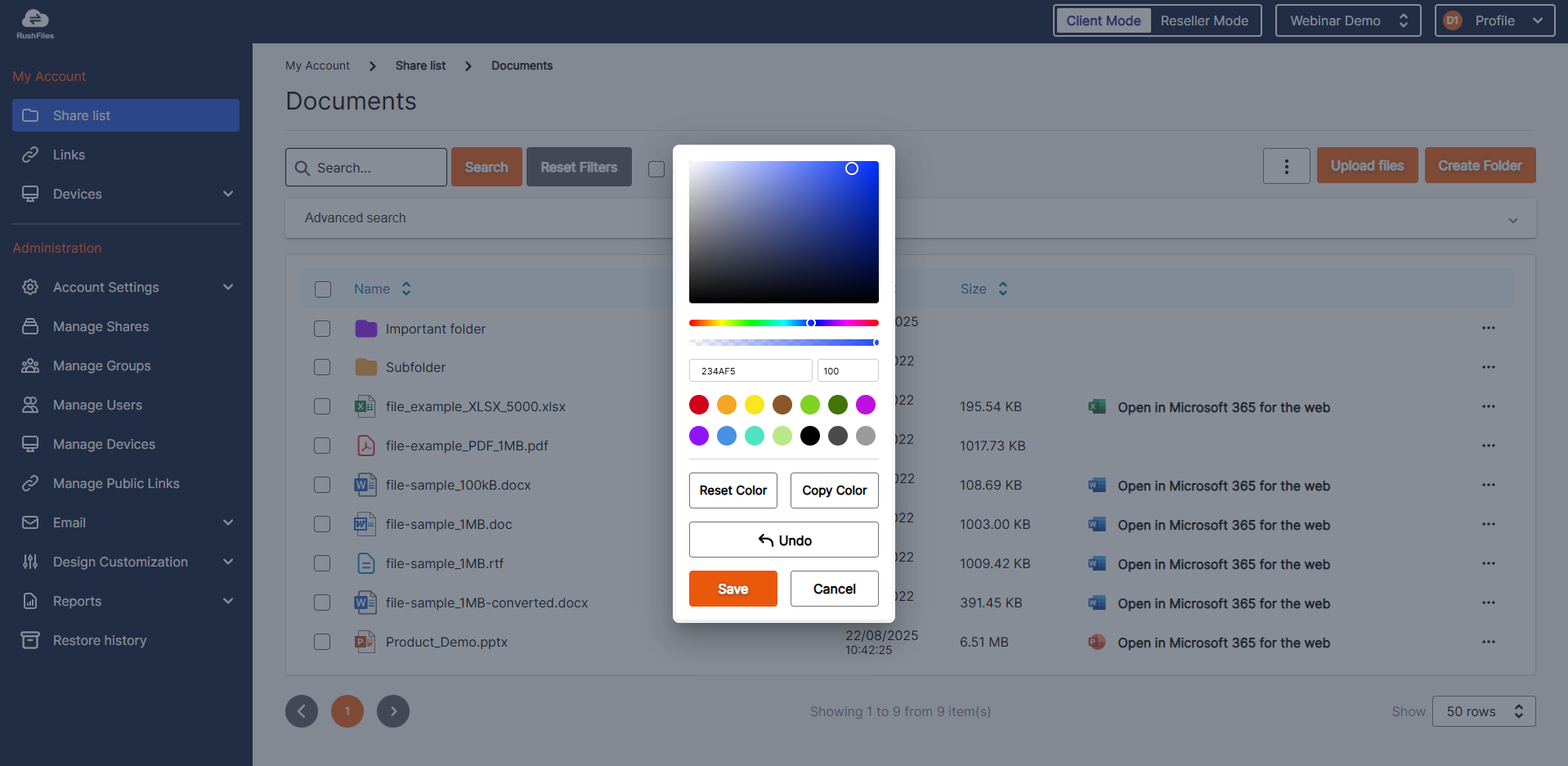
- Color-code folders with a built-in color picker.
Resellers
Skinning Inheritance
- If skinning is disabled for a reseller, it is automatically disabled for all sub-resellers and their companies.
- The Customization Settings menu is hidden accordingly.
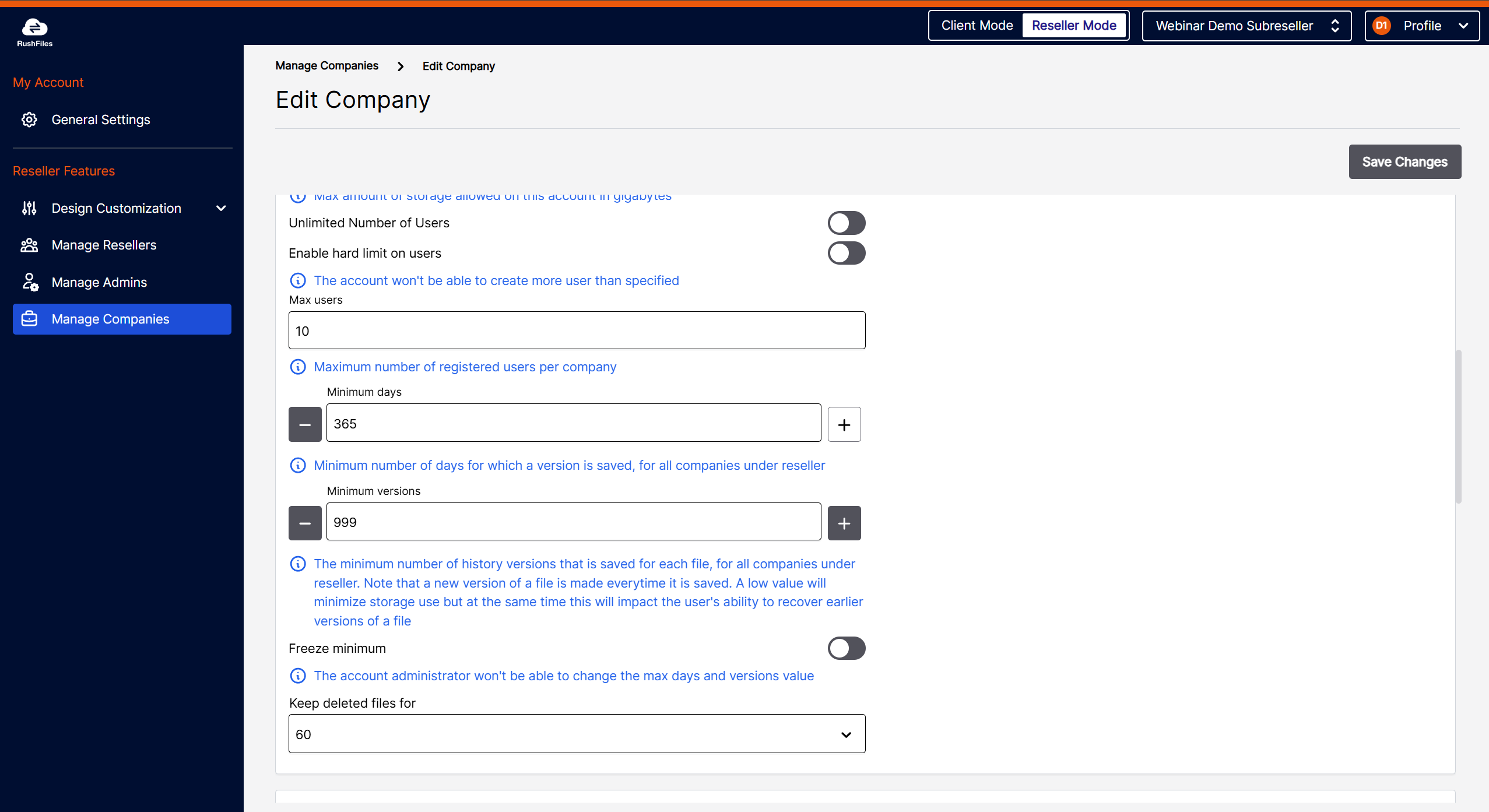
Reseller Limits Validation
- When creating or editing a company, validation messages now appear if user or storage limits exceed reseller limits.
Deleted Files Retention
- Retention period can now be configured in the UI.
- Choose between 7 or 60 days.
Server Updates
- Support for new storage types: AWS S3, Wasabi, and Ceph.
- Support for mounted volumes inside folders (e.g., S2D configurations).
- Multiple storage locations now supported in Active-Active high-availability setups(not compatible with Object Storage).
- New external identity provider supported: Amazon Cognito.
- Improved logging of drive space across all drives (previously only tracked the drive with the most free space).